
Skip to content
LogoImagelier
  • Features
  • Pricing
  • Blog
  1. Home
  2. Remove Text from Image

AI text remover

Remove Text from Image

Removing text from an image means erasing the words and filling the space with what would have been behind them — the paper, the sky, the packaging — so the picture looks as if the text was never there. Imagelier finds every line of text automatically; you pick the lines to erase, and AI rebuilds the background in seconds.

Upload the image

It opens in the editor. Click a line of text, clear the box, and apply — or type new words to replace it. JPG, PNG or WebP up to 20 MB.

Drag and drop an image here

Free to try: new accounts get 2 edits — pick an image first, sign in after. JPEG, PNG, or WebP up to 20 MB and 4096 px. Free export: 720p with a small watermark. Images auto-delete in 24 hours.

You can also paste an image from your clipboard.

BeforeCoffee bag with a label reading HOUSE BLEND, Medium Roast 250g
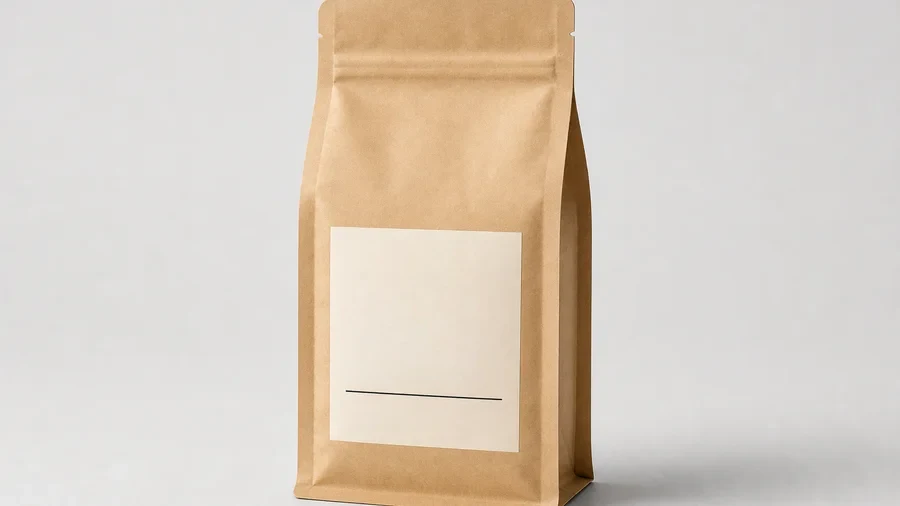
After · text removedThe same coffee bag with all label text removed, leaving a blank label

Remove all of it, or just one line

The label above had all three lines removed — a blank mockup you can reuse for any product name. Here only “SAT JULY 12 · 8 PM” is removed so the poster is ready for the next date. Both are real Imagelier outputs, not mockups; only text is erased, so the divider on the label and the artwork on the poster stay exactly as they were.

BeforeSummer Jazz Night poster with the date SAT JULY 12 · 8 PM
After · one line removedThe same poster with the date line removed and the background rebuilt

How to remove text from an image

  1. 1

    Upload your image

    Drop it in the box above or on the homepage. You sign in once with Google or email; new accounts get 2 free edits.

  2. 2

    Click the text to remove

    Every detected line is outlined. Click one and clear its text box — an empty box means “remove this line”.

  3. 3

    Repeat for other lines

    Clear as many lines as you like; up to 50 lines applied together count as a single edit.

  4. 4

    Apply and download

    The words are erased, the background is rebuilt, and you can compare with the original before downloading.

Usually the next step

Removing text so you can write something else?

Skip the blank step. In the same editor, type the new words instead of clearing the box: Imagelier erases the old text, rebuilds the background and sets your text at the original size, weight and color in one go — a new date on a poster, a new price on a menu, a translated label.

Edit text in image insteadHow the original font is matched

What it handles well — and what it doesn’t

Works well

  • Text on plain or gently textured backgrounds: paper, walls, packaging, skies.
  • Printed and digital text: labels, menus, posters, slides and app screenshots.
  • Several separate lines in one go, in English, Chinese, Japanese, Korean and most Latin scripts.

Harder or not supported

  • Huge lettering that covers detailed things — a face, a pattern, a busy crowd. The AI invents what was behind it, and complex detail may not come back exactly.
  • Logos, icons and signatures that are not text: they are not detected, so they can’t be selected.
  • Watermarks and other people’s branding. Imagelier is not a watermark remover; only remove text from images you own or have permission to edit.

How it works: text detection (OCR) outlines each line; the selected outlines become a mask, slightly enlarged to catch anti-aliased edges; an inpainting model (LaMa) fills the mask from the surrounding pixels. Everything outside the mask keeps its original pixels.

Ways to erase text from a picture

ToolHow you remove textBest for
ImagelierDetects the text, you click the lines to erase, AI fills the background. Can replace the text in the same step.Menus, posters, labels and screenshots where only the words should change.
PhotoshopSelect the text by hand, then Content-Aware Fill or Generative Fill.Detailed retouching when you already have Photoshop.
Phone photo appsObject erasers (Magic Eraser and similar): brush over the text, the app fills it in.Quick fixes on photos already on your phone.

The main difference is selection: with a brush you trace every letter yourself; text detection selects whole lines in one click.

Questions about removing text

Is it free?

New accounts get 2 free edits (720p with a small watermark). Pro is $9 a month for 100 edits at original resolution without a watermark, and a one-time pack of 3 HD edits is $2.90. See pricing.

Can I remove all the text at once?

Clear every line you want gone, then apply them together. Up to 50 lines in one apply count as one edit, so removing all the text from a busy menu costs the same as one line.

Does it remove watermarks?

No. It is built for text in images you own or are allowed to edit, and it is not designed to remove watermarks or other people’s branding — doing so can infringe copyright. See what Imagelier won’t do.

Will the background look natural?

On plain and repeating backgrounds, usually indistinguishable from the original. Where the text covered detailed objects, the filled area can look soft. You can compare before and after, and change your selection, before downloading.

Is my image private?

Removing text needs an AI model, so the image is processed on our servers. Images from free accounts are deleted after 24 hours; Pro edits are kept for up to 30 days so you can return to recent work. Details in the privacy policy. The free browser tools on this site, by contrast, never upload anything.

Why do I need to sign in?

Each removal runs text detection and an AI model, which cost money per image. Signing in lets us give every new account its free edits and keep the service free of abuse.

Free image tools (no upload)

All tools
  • SVG to PNG
  • WebP to GIF
  • Black and White
  • Rounded Corners
  • Invert Image
  • Rotate Image
  • Flip Image
  • Brighten Image
  • Merge Images

Updated October 3, 2026 · Written by the Imagelier team

LogoImagelier

AI image studio for editing text inside images

X (Twitter)
Product
  • Features
  • Pricing
  • Chat Screenshot Editor
  • Edit Text With the Same Font
  • Remove Text from Image
  • Imagelier vs Photoshop
  • Imagelier vs Canva
  • FAQ
Free Tools
  • SVG to PNG
  • WebP to GIF
  • Black and White Image
  • Rounded Corners
  • Invert Image
  • Rotate Image
  • Flip Image
  • Brighten Image
  • Merge Images
  • All Free Tools
Resources
  • Blog
  • Changelog
Company
  • About
  • Contact
Legal
  • Cookie Policy
  • Privacy Policy
  • Terms of Service
  • Responsible Use
© 2026 Imagelier. All Rights Reserved.